Points
Find an address, search a place or enter exact coordinates. Teleport when you’re ready.
- Favorites & recent locations
- Custom latitude & longitude
- Safe Jump delay
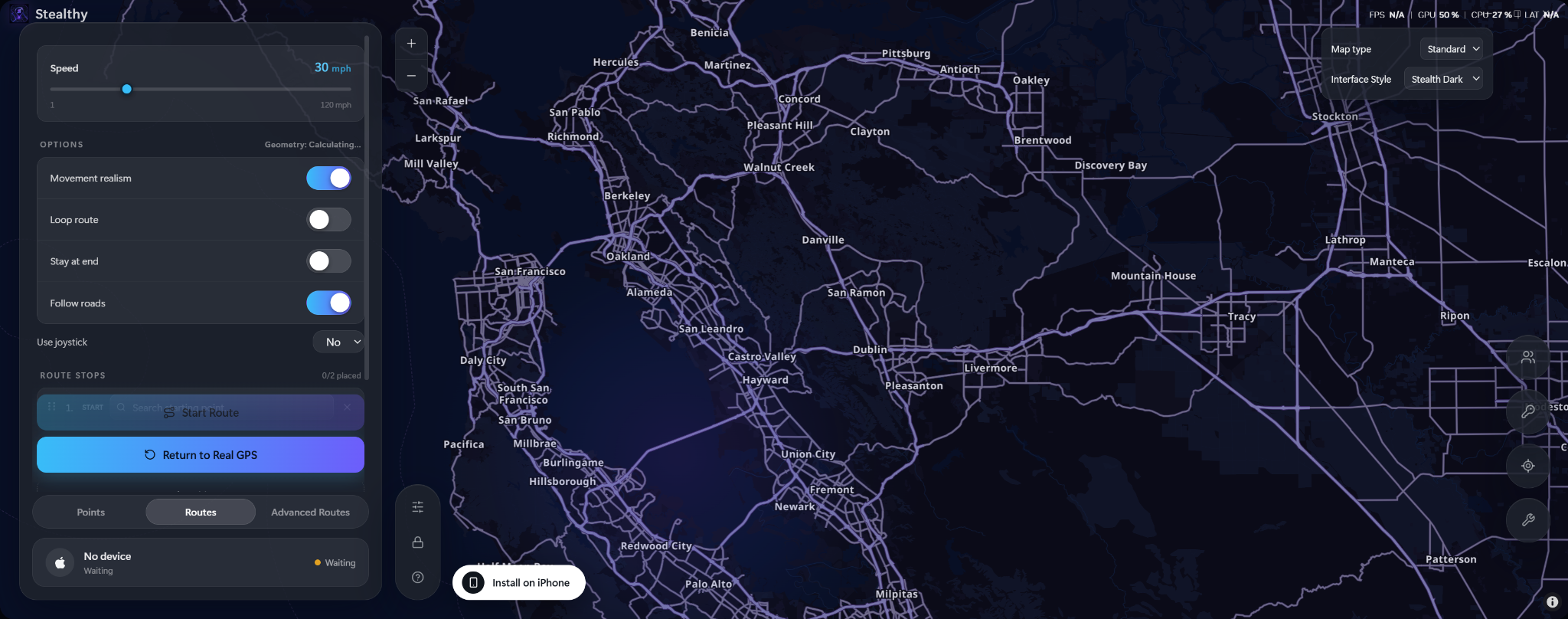
- Return to real GPS
 STEALTHYTEST MODE
STEALTHY · DESKTOP LOCATION CONTROL
A desktop location-control experience designed around routes, movement and precise positioning.
Windows 10 / 11 · iPhone & iPad · No jailbreak
Made for movement
Precise points. Purposeful routes. Room to explore.
StealthyPRODUCT PREVIEWChoose a place. Make it your starting point.
Three ways to begin
Familiar controls, thoughtful details. Choose the way you want to move.
Find an address, search a place or enter exact coordinates. Teleport when you’re ready.
Give your movement a beginning, a destination and all the stops in between.
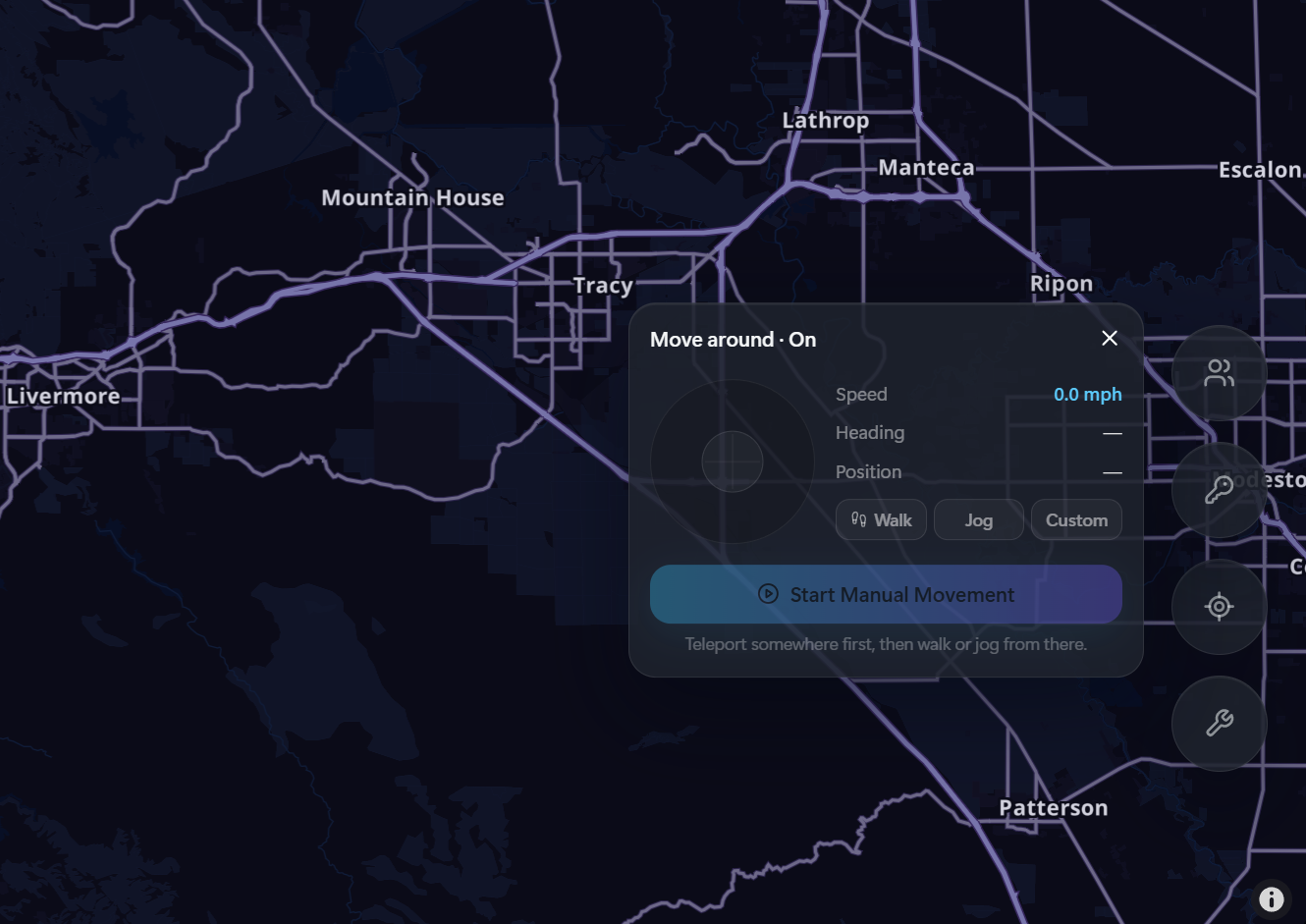
Take manual control without building a full route. Choose a direction and keep moving.
A more hands-on approach
Walk, jog or choose a custom speed. Start from a selected location, then steer your movement from the floating joystick.
Movement with intention
Shape how a route feels—not just where it goes. Ease into turns, slow toward mapped controls, pause where configured and accelerate away smoothly.
Choose custom speed or available road-speed data. Movement realism can vary pace and ease transitions. Map coverage and mode determine which controls apply.
Interactive preview only. Road behavior depends on available map data; traffic-light pauses are simulated, not live signal colors.
Advanced Routes
Your route, down to the wait. Give each trip a name, add timed destinations and return along the exact same path.
StealthyPRODUCT PREVIEWSet dwell time at each destination in seconds or minutes.
Return to start using the same route back, or calculate a new return route.
Save routes, preview the trip timeline and start immediately when ready.
Afternoon loop · example timeline
A few steps. Then you’re moving.
Windows 10/11 x64 · iOS/iPadOS 17.4+
WebView2 · Apple Devices or iTunes · USB · Developer Mode
Open Stealthy on Windows.
Trust your computer and enable Developer Mode.
Points, Routes, Advanced Routes or Move around.
Adjust speed, stops and supported road controls.
Preview your route, then begin when ready.
Your pace. Your plan.
Four hours of full access to try Stealthy. No account or card required for the trial.
$4.99/week
USD · Renews every week
$12.99/month
USD · Renews every month
$79.99/year
USD · Renews every year
Secure checkout with Stripe. Weekly + Advanced Routes is $6.99/week.
Subscriptions renew automatically until canceled. Initial purchases have a 7-day refund window. See terms.
The trial gives a device four hours of full access without a card or account. When it ends, choose a subscription and sign in with an email code. The trial does not automatically become a paid subscription.
Monthly at $12.99/month and Yearly at $79.99/year include Advanced Routes. Weekly is $4.99/week; add Advanced Routes for $2/week, making the total $6.99/week. All prices are USD.
Open Stealthy’s Account settings and choose Manage billing to cancel future renewals. Access normally continues through the paid period. Initial subscription purchases have a 7-day refund window; see the Refund Policy for renewal exceptions and your mandatory rights.
Windows 10/11 x64 with WebView2, Apple Devices or iTunes, and a supported iPhone or iPad on iOS/iPadOS 17.4 or newer. Use a trusted USB connection and enable Developer Mode.
No. Road geometry and mapped controls inform movement where available. Traffic-light pauses are simulated; Stealthy does not read live signal colors. Road data can be incomplete, and supported behavior depends on the selected mode.
Yes. Return to real GPS stops simulation and removes the location override. Third-party apps may take a moment to refresh their displayed position.
Saved locations, route drafts and pairing records stay locally. Map tiles and place/route requests go to map services. Account, billing and access checks use online services; the desktop sends a hashed device identifier for licensing. The website does not request your precise location.
No compatibility or detection guarantee is made. Stealthy uses developer location simulation on supported devices; apps can handle simulated locations differently. Use it on devices you own and follow the rules of the services you use.